Dense cockpit wiring
Designed for switch panels, annunciators, levers, encoders, trim panels and other repeated cockpit controls.
Cockpit input and output controller
Coming soon
High-density I/O expansion for custom cockpits, panels and simulator hardware integration.
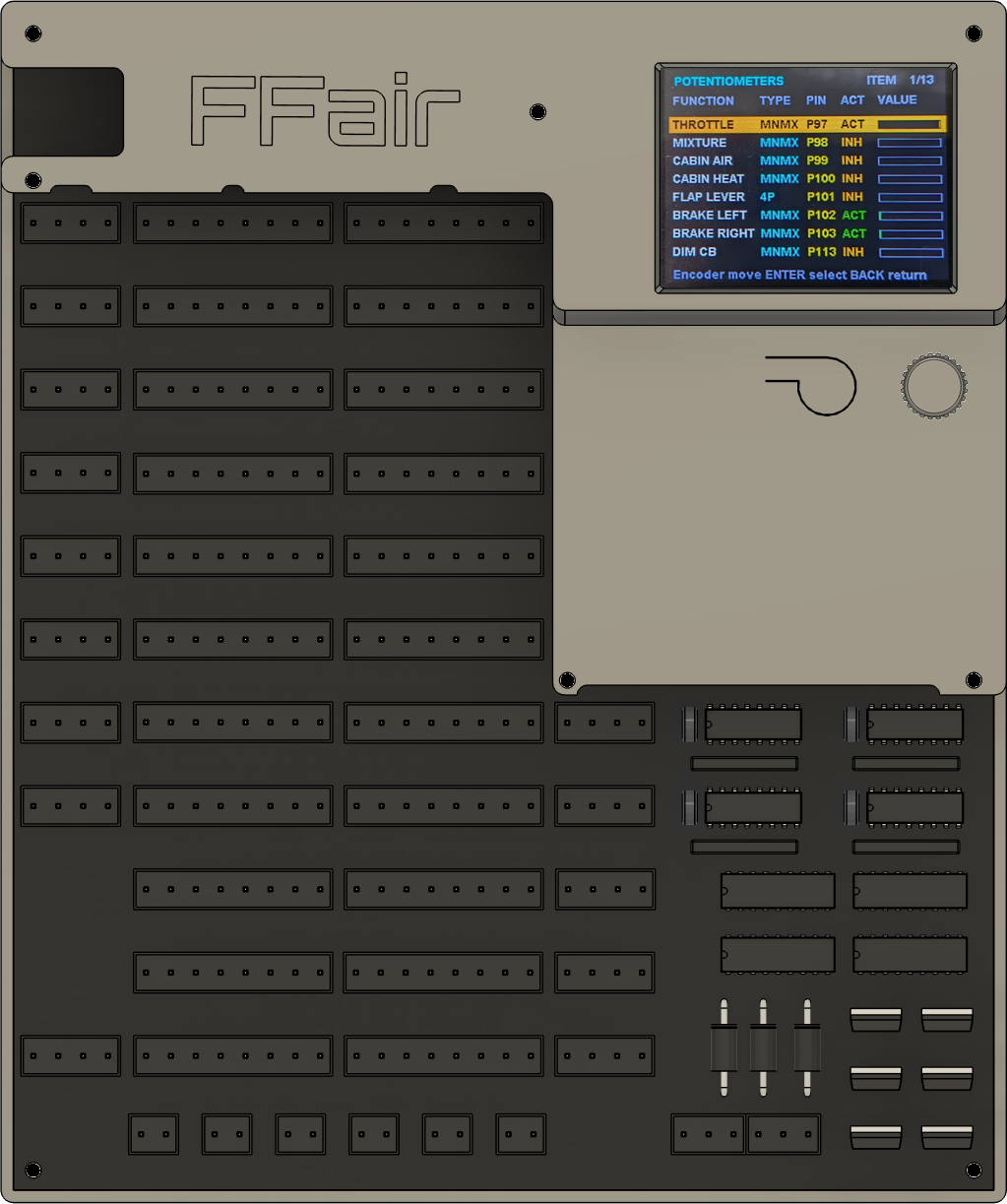
FFair_IO is the planned cockpit expansion controller for the FFair ecosystem. It is intended to concentrate digital inputs, analog axes, power outputs and PWM channels in one configurable hardware unit.
Designed for switch panels, annunciators, levers, encoders, trim panels and other repeated cockpit controls.
Inputs and axes are intended to map to simulator variables, offsets, commands and profile-defined behaviors through FFair_Link.
Custom factory profiles can make a specific aircraft cockpit much faster to wire and configure.
Advanced users can configure the unit in FFair_Link to match their own cockpit layout and simulator needs.
Up to 96 configurable digital channels, including support for up to 16 rotary encoders.
Fully configurable analog axes mapped to simulator variables, with curve configuration, intermediate steps and calibration points.
Output channels for loads such as LED chains, small solenoids and simple DC motor on/off control.
PWM channels for servos, motor drivers and other pulse-controlled cockpit hardware.
Regulated high-power outputs for cockpit loads that need controlled power delivery.
Behavior can be defined per aircraft profile instead of hardcoding every cockpit function into firmware.
Selected inputs and analog axes can also be grouped as a joystick device, so Windows and the simulators recognize the chosen buttons and axes as standard joystick controls.
A profile prepared for a specific aircraft can make wiring and setup much faster: connect the expected controls to the documented terminals, load the aircraft profile and use a known configuration baseline.
Through FFair_Link, users can build a cockpit expressly around their own needs, assigning inputs, axes, outputs, PWM channels and simulator variables according to their hardware layout.
The same hardware can be configured to expose selected axes and buttons as a Windows joystick, allowing standard simulator control assignment when that is the preferred workflow.
Battery, avionics, lighting, fuel, electrical and custom cockpit switches.
Levers, potentiometers, trim inputs, flap selectors and other variable cockpit controls.
Annunciators, LED chains and cockpit status outputs.
Small solenoids, DC motor on/off loads, servos and motor-driver controlled outputs.
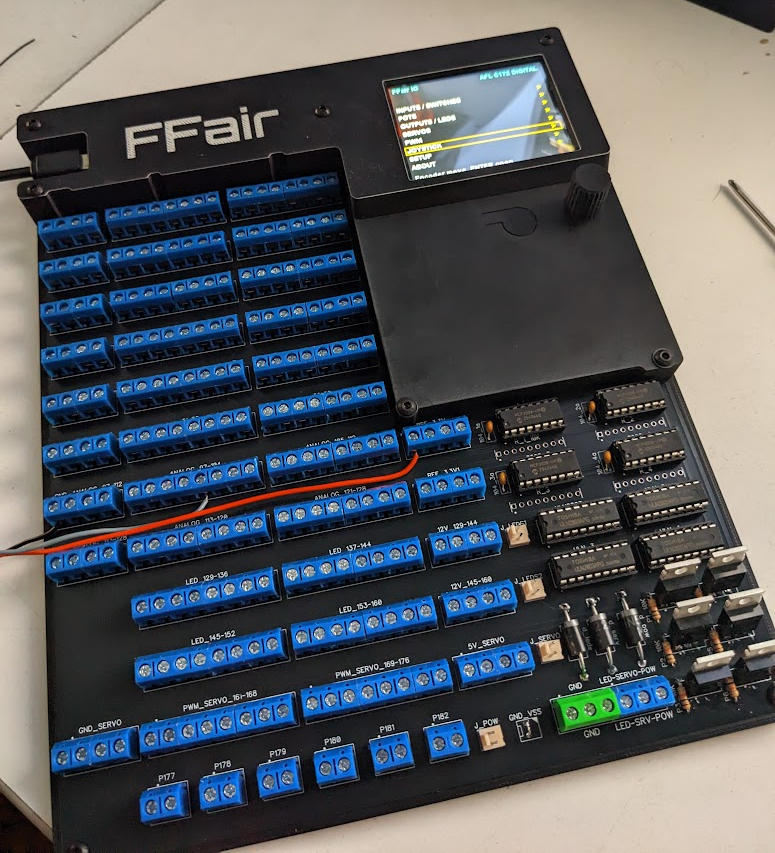
Physical FFair_IO central unit with terminal blocks, display menu and onboard electronics.
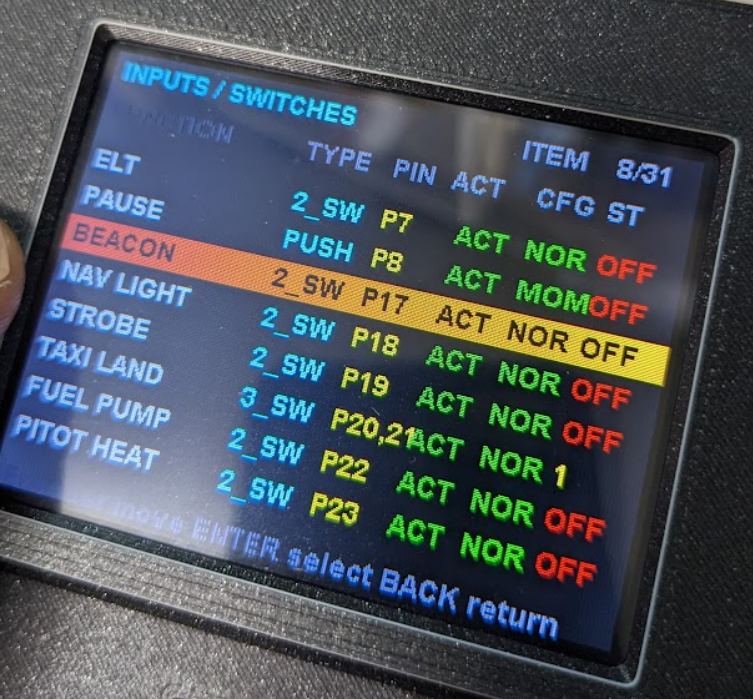
On-device display menu for cockpit switch configuration, pin mapping and input state verification.
FFair_IO wiring documentation is available now. Firmware and aircraft profiles will be published when the product is ready.
Need information about FFair_IO planning, capabilities or cockpit integration?
Contact support ffairsystem@gmail.com